

Client Certificates
Client Certificates
Client certificates are used to authenticate clients connecting to an endpoint via mutual TLS (mTLS). Each certificate is tied to a Common Name (CN) that identifies the client.
When your endpoint is backed by a mTLS-enabled Kafka cluster, the CN you assign here must match the Kafka principal configured in your ACLs. The gateway presents the same CN to Kafka, so access control is applied consistently end-to-end.
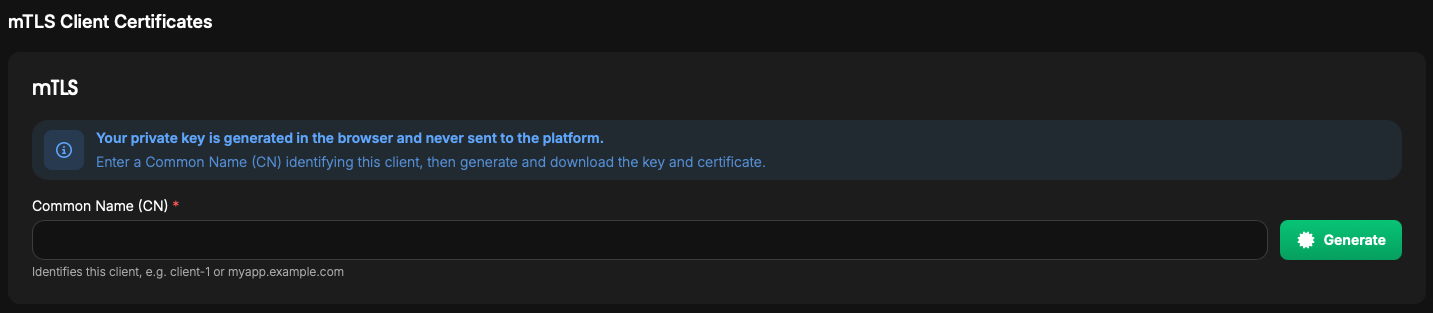
Generate a Client Certificate
- Navigate to
Environments → [environment] → Endpoints → [endpoint] - Under
mTLS Client Certificates, enter aCommon Name (CN)identifying the client- Example:
aliceormyapp.example.com
- Example:
- Click
Generate. The private key and certificate will download automatically once the certificate is issued
Info
The private key is generated in your browser and never sent to the platform. Store it securely, as it cannot be recovered if lost.
View Issued Certificates
Under Issued Certificates, each certificate shows:
- Common Name: the client identity
- Serial Number: unique identifier for the certificate
- Issued: the date the certificate was signed
- Expires: the expiry date and remaining time
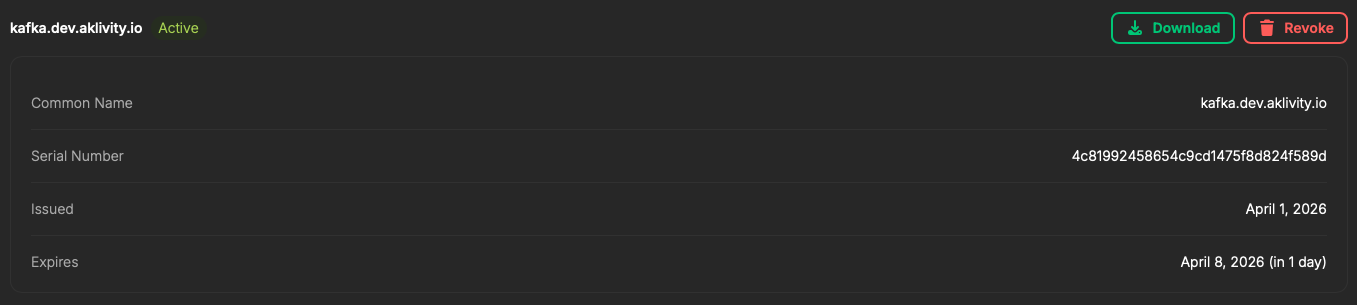
Download a Certificate
- Navigate to
Environments → [environment] → Endpoints → [endpoint] - Under
Issued Certificates, find the certificate - Click
Download
Revoke a Client Certificate
- Navigate to
Environments → [environment] → Endpoints → [endpoint] - Under
Issued Certificates, find the certificate to revoke - Click
Revoke
Warning
Revoking a certificate immediately prevents that client from connecting. This action cannot be undone. The client will need a new certificate to regain access.