

Admin Onboarding
Admin Onboarding
Admin Onboarding is a one-time setup that runs the first time you open the Zilla Platform Management Console. It creates your organization, registers the initial admin account, and prepares the platform for use.
This process only needs to be completed once. Subsequent logins use the credentials you create here.
Prerequisites
- The Zilla Platform stack is running and accessible.
- You have a valid email address for the admin account.
Onboarding Steps
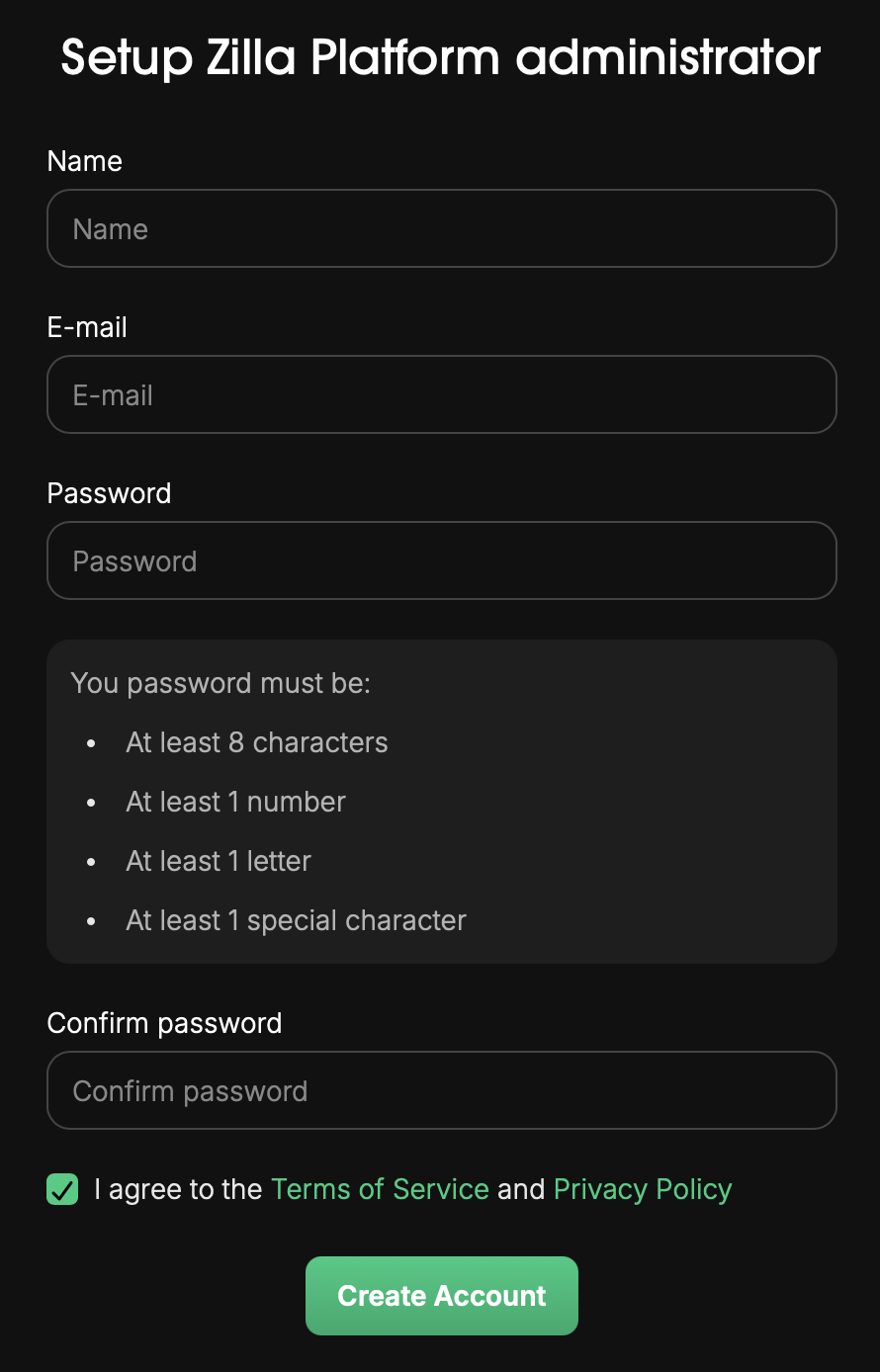
1. Open the Console
Navigate to the Zilla Platform Management Console (default: http://localhost:8081).
If the platform has not been configured before, the onboarding screen loads automatically.
2. Enter Admin Details
Provide your admin account information:
- Name — Your full name. Used for display and audit purposes.
- Email — Your email address. This becomes the admin login username.
- Password — Choose a strong password for the admin account.
- Confirm Password — Re-enter the password to confirm.
3. Accept Terms & Conditions
Review the Zilla Platform Terms & Conditions and select the checkbox to accept.
4. Create Account
Click Create Account to complete setup.
The platform creates your organization, provisions the initial environment, and logs you in as administrator.
After Onboarding
Once onboarding is complete you can:
- Invite additional users under User Management → Users.
- Create teams and assign entitlements under User Management → Teams.
- Connect Environments and Kafka clusters under Environments.
- Start designing API Products under API Product → Design APIs.